
Using Mistral Vibe with local model
Vibe was the first coding agent I tried to use with local model. It works and it is fun to have ability to to just tell the computer to do something you want in plain English or even in your own language if your model support it.
Installation and Configuration
There are several installation methods for vibe that are available along to the usual, security nightmare of running of piping curl-downloaded scripts directly to bash :)
I advise using other installation methods for example via uv:
uv tool install mistral-vibe
After that comes the tricky part of starting the Vibe. I had some problems with that because it requires you to configure Mistral API, API Key. I do not have one and I did not intended to use it with the Vibe.
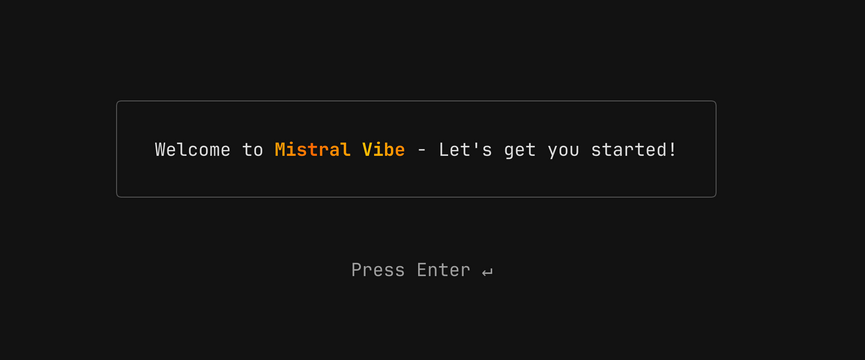
You do not have a choice here. You have to press Enter.
After that docs states that it will create configuration file. You need to edit this file located at ~/.vibe/config.toml:
- add providers entry
[[providers]]
name = "llamacpp"
api_base = "http://local:8080/v1"
api_key_env_var = ""
api_style = "openai"
backend = "generic"
reasoning_field_name = "reasoning_content"
project_id = ""
region = ""
This will add new model provider to Vibe coding agent.
- add model entry
[[models]]
name = "medium-moe"
provider = "llamacpp"
alias = "medium"
temperature = 0.2
input_price = 0.0
output_price = 0.0
thinking = "off"
auto_compact_threshold = 200000
This will add new model to Vibe. Of course you can add more models than one and switch between them when you want.
Unfortunately you can’t skip next screen or I do not know how. I tried to create some dummy file at ~/.vibe/.env that should be the store for mistral API keys, but it does not work. Restarting and changing other configuration entries do not work either. Maybe Vibe saves this progress in some /tmp directory. Luckily enough, you can type any bullshit value in there to make it pass! It does not validate it currently. :)
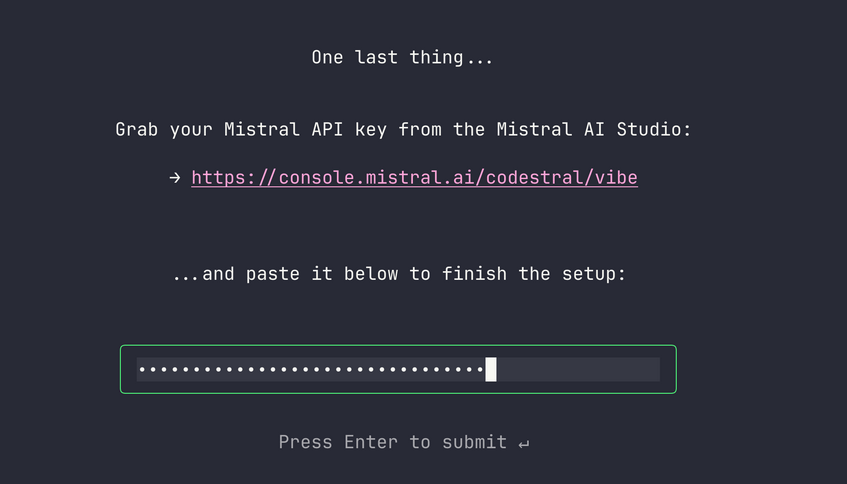
A bit annoying, but it makes perfect business sense. Probably majority of people will register just to make it pass this screen and some of those people probably will pay money after that to Mistral. It is not such perfect to the user like me though.
When it will finally load its main menu, just type:
/config
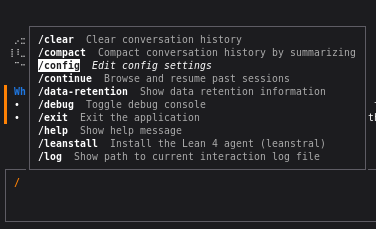
The you can see model selection:
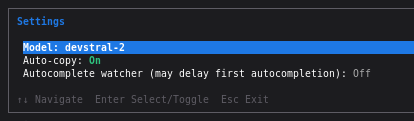
Press enter and select model that you configured as local. In my case it is called medium.
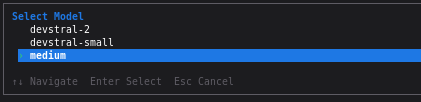
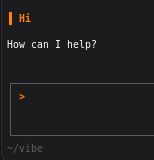
You can select it and test it.
Summary
It works but lacks some integration with the IDE. To be clear it is possible to run from the plugin but IDE, Rider in my example, does not allow it to use any of those cool tools it have. For example when you ask coding agent about issues in the file that you have open currently, it does not ask Rider, or Resharper plugin in VS what are the issues. It is already there:
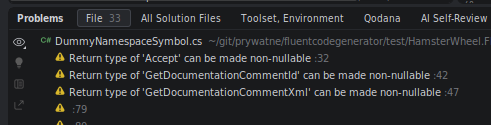
Instead coding agent will go on a GREAT JOURNEY OF SELF-DISCOVERY AND CODING EXPERIENCE. It is more apparent when you are using local model because it is much, much slower. API providers mask it by running it all very fast so you either do not notice or do not care enough about those inefficiencies.
Also you have to be prepared for few days of tinkering, testing and optimizations till this tool will be actually usable. Otherwise it will be either glorified chat or it will be so slow that writing simple unit test will take 3 hours.
Anyway it is still fun experience. I would never imagine, when I was starting that I will be able to instruct my computer to do stuff for me in my native language. This is truly amazing!